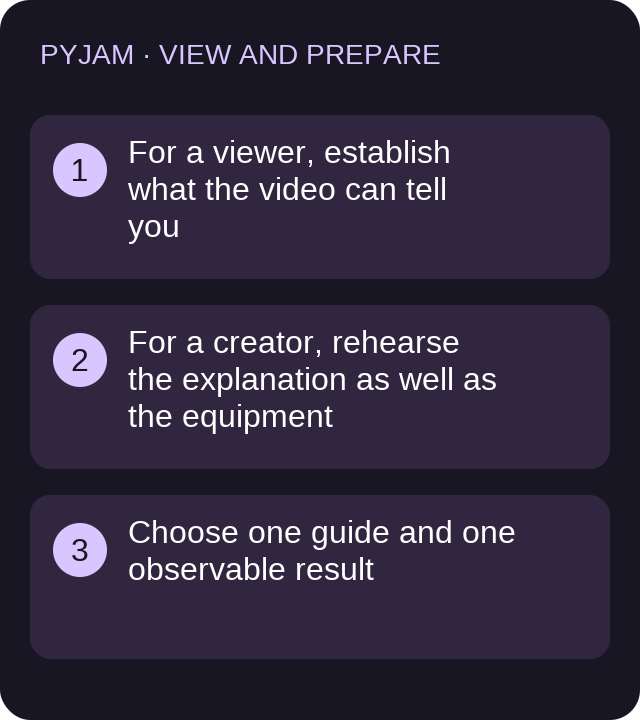
For a viewer, establish what the video can tell you
Before choosing a player setting or joining a conversation, inspect the video's subject and context. Determine whether it is live or a replay, listen for the language you need, and decide whether captions or another explanation are actually offered. A map, a creator channel, and a recommendation feed provide different starting points. None guarantees that the first item answers your question. The viewing guides help you judge one selected video without confusing an English menu, a familiar place name, or a clear thumbnail with evidence about the content itself.
For a creator, rehearse the explanation as well as the equipment
A camera can work while the planned session remains confusing. Prepare the opening, frame the important subject, check speech at the real microphone distance, and test the connection in the intended position. Then decide how you will handle questions, interruptions, and the ending. The production guides divide that work into manageable rehearsals. They do not claim that Pyjam provides every encoder, caption, guest, or scheduling feature described by another platform. Review the creator area and current account requirements before announcing a real broadcast, and keep preparation separate from the action that actually starts transmission.
Choose one guide and one observable result
If you are watching, a useful result might be understanding a scene or finding a creator whose language you can follow. If you are preparing a session, it might be a clearer sound check or an invitation that another person can use without guessing. Keep that result specific. A click is not the same as a completed viewing visit, and opening the creator area does not establish that a broadcast began. Return to the broader first-stream checklist when you need to assemble the pieces. For choosing a destination, use the platform guides and the comparison page alongside a practical trial rather than treating a long feature list as a substitute for the experience your audience will actually have.
Choose a focused guide
- Live video or replay: check before drawing conclusions — Learn to distinguish a live broadcast from a replay, read the video's context, and use public Pyjam videos without assuming they show current conditions.
- Check a stream's language beyond the app menu — Separate interface language, spoken commentary and audience discussion when choosing a live stream, then test an available public video in Pyjam.
- Captions on live video: availability and useful checks — Check whether captions are actually offered for a live video, test readability and accuracy, and avoid assuming that replay or translation options apply everywhere.
- A sound check before streaming: voice, distance and noise — Rehearse speech at the real microphone distance, compare background noise with the viewer experience, and prepare a clearer first broadcast in Pyjam.
- Rehearse a streaming connection at the filming location — Test a complete streaming setup where you will use it, distinguish a speed-test result from a viewer trial, and plan a simple response to interruptions.
- Stream delay and viewer questions: plan the pause — Understand how viewing delay affects a live conversation, rehearse a question-and-answer rhythm, and distinguish playback timing from comment availability.
- Portrait or landscape streaming: test the viewer's frame — Choose a camera orientation around the subject, check text and cropping through the real viewing route, and prepare a clearer phone broadcast in Pyjam.
- Phone streaming interruptions: prepare a calm recovery — Rehearse likely phone-streaming interruptions, organise power and notifications, and agree on a viewer message before preparing a broadcast in Pyjam.
- A screen privacy check before a live broadcast — Review the visible frame, notifications and shared windows before a broadcast, then use a deliberate stop-and-check routine after the session ends.
- Location discovery and privacy: give viewers useful context — Explore public videos by place without assuming map coverage or asking for private addresses, and prepare a useful location description for your own stream.
- Mobile streams and fixed webcams: choose the right view — Compare a moving creator's video with a fixed webcam, account for commentary and coverage, and choose a public Pyjam video around your viewing question.
- Watch streams in a browser: test picture, sound and context — Open a public video in your browser, check playback and sound deliberately, and distinguish a viewing issue from an account or conversation requirement.
- Feed, channel or map: choose how to find a stream — Choose discovery around a recommendation feed, a known creator's channel or a place, then compare one actual viewing route before choosing a platform.
- Write a live stream opening that gets to the subject — Prepare a concise stream introduction with a purpose, a useful first action and a question plan, then rehearse it before entering Pyjam's creator route.
- Write a stream title that sets the right expectation — Describe the real subject and viewing purpose in a stream title, distinguish live sessions from recordings, and pair the title with a clear invitation.
- Invite viewers to a stream with a clear time zone — Write a stream invitation with an explicit date, time zone and viewing route, then test what a first-time viewer will see before and during the session.
- Check a stream viewing link before sharing it — Test the intended viewer link, account context and video status before sharing, and keep a creator setup address separate from an audience destination.
- End a stream deliberately and review the session — Prepare a clear sign-off, confirm the broadcast has ended, and review one concrete improvement without assuming a replay or detailed analytics exists.
Sources and further reading
More focused viewing and streaming checklists
Light and framing
- Lighting a phone live stream without hiding the subject
- Choose the front or rear camera for a live broadcast
- Prepare a background that supports your live stream
Camera movement
- Keep a handheld live stream steady and easy to follow
- Show small details clearly in a live demonstration
Sound and listening
- Reduce distracting room echo before going live
- Check wind noise before an outdoor live stream
- Check a live stream with headphones without creating feedback
- Check whether speech and picture stay in sync on a live stream
- Keep speech understandable over background sound
Viewer troubleshooting
- What to check when a live stream keeps buffering
- A live video has no sound: a viewer's checklist
- A live stream has a black picture: what to check
- Check full-screen live video without losing useful controls
- Check live video playback on mobile data
Accessible viewing
- Check live video controls using a keyboard
- Describe important visual details while streaming live
- Help viewers follow speaker changes during a live stream
- Prepare a small glossary for an English live demonstration
- Plan a useful text summary alongside a live session
Audience conversation
- Welcome late viewers without restarting the stream
- Keep a live session useful when chat is quiet
- Organise viewer questions during a live demonstration
- Write clear ground rules for a live conversation
- Ask for useful feedback after a live stream
Session planning
- Write a running order for a small live stream
- Plan a short live product or craft demonstration
- Set clear prerequisites for a live tutorial
- Plan a live walking route around clear stopping points
- Plan the viewer experience for a small live event
- Rehearse a live session with a co-host
Invitations and follow-up
- Write a useful reminder for a live stream
- Plan a live stream thumbnail that matches the session
- Write a recap that reflects what happened in a live stream
- Plan a live topic series without repeating the same lesson
- Keep useful notes from a live stream viewer test
Session continuity
Streaming workflow templates and practice plans
Encoder decisions
- Plan your first OBS rehearsal before a public stream
- Choose a stream bitrate through a repeatable test
- Choose stream resolution around readable text
- Choose a frame rate for the movement you will stream
- Separate OBS network drops from encoding trouble
Scene and capture
- Arrange OBS source layers so the subject stays visible
- Choose window capture or display capture for a stream
- Crop a live demonstration without losing its context
- Read audio meters alongside a listening test
- Keep stream credentials out of a live demonstration
Hands-on formats
- Plan a cooking demonstration viewers can follow live
- Plan a watercolour live painting session with clear stages
- Plan a knitting live tutorial around one visible technique
- Arrange a live model-making workbench demonstration
- Plan a houseplant repotting demonstration on live video
Conversation formats
- Build a question ladder for a live interview
- Plan turn-taking for a small live panel
- Structure a live book-club discussion with clear context
- Plan an English conversation practice live session
- Make live game commentary understandable to new viewers
Viewer controls
- Understand pause, rewind and the live edge of a stream
- Use replay speed deliberately when learning from a video
- Check live caption readability on a phone screen
- Use browser zoom on a video page without losing context
- Look for a replay after a live stream ends
Discovery checks
- Use daylight and time context when exploring a stream map
- Check what a stream map marker actually represents
- Use a creator's recent streams to choose what to watch
- Check for a live event schedule change before joining
- Search for a live video with a specific topic in mind
Production documents
- Write a shot list for a small live stream
- Prepare cue cards that support a live presenter
- Keep a practical equipment inventory for live sessions
- Assign clear roles for a small live streaming team
- Set pass and fail checks for a live rehearsal